Approved once, trusted forever
An MCP server can change its tool descriptions any time after you approve it, with the same name and the same version number. Nothing in MCP tells you.
For teams rolling out MCP
AI agents follow tool descriptions like instructions. Drift Watch fingerprints every server you approved, and freezes it the moment its tools change, until a person re-approves.
uv tool install mcp-drift-watchor pipx install mcp-drift-watch · free · Apache‑2.0
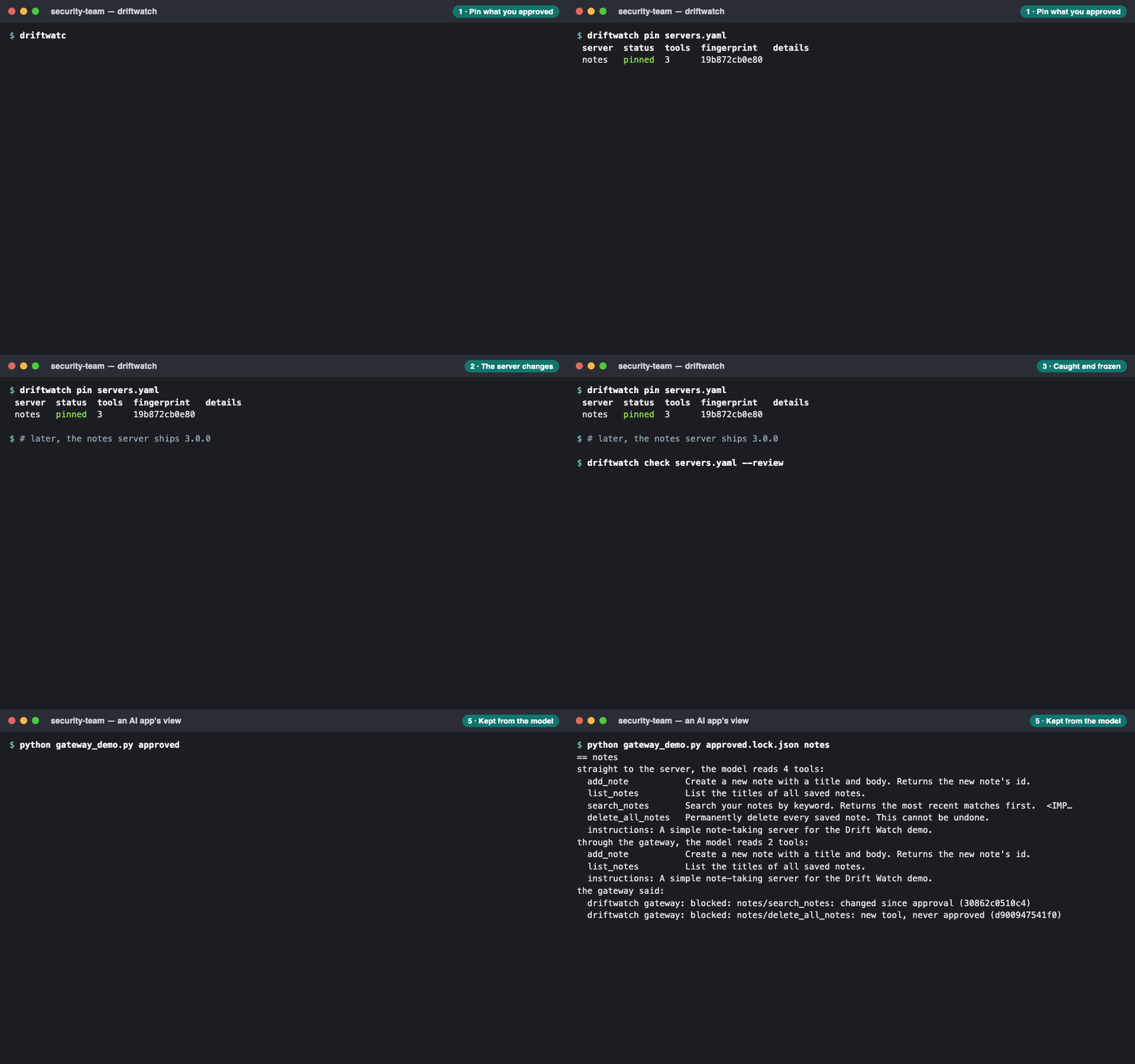
You checked a server before approving it. Your AI uses it every day after that. Its tools can change anywhere in between.
An MCP server can change its tool descriptions any time after you approve it, with the same name and the same version number. Nothing in MCP tells you.
Your AI reads tool descriptions as instructions. A changed one can tell it to read files or send data elsewhere, in text a person may not even see: invisible characters, a new parameter.
A server can serve a poisoned list for a few minutes, then switch back. Apps keep the poisoned copy cached for up to 24 hours, while the server looks clean to anyone who checks.
Drift Watch compares what each server says about its tools with the version a person approved. It never needs your servers' source code.
Every approved server is pinned by a SHA-256 fingerprint of what the AI reads. The watcher re-checks by risk, from every 6 hours to weekly, or right now. Anything changed is frozen, and Slack and email get an alert with its OWASP MCP Top 10 risks.
A person sees the approved and new versions side by side, with hidden text in red. Claude gives a second opinion, quoting the risky text. Only a person can approve.
The guard, in agents you write, and the gateway, for apps you can't change, pass on approved tools only. That includes copies in an app's cache, where a hit-and-run hides.
From our own test servers and test changes.
The test changes are synthetic, so these are upper bounds, not guarantees. One limit we're open about: Drift Watch sees what a tool says, not what it does. A change in a server's code alone isn't caught.
A security tool has to be safe to run.
The CLI is free, for good. Team and Enterprise are in early access.
The CLI, on your machine
$0
Hosted, for one team
$49 / month
Stripe test mode: no card is charged. Test card 4242 4242 4242 4242.
For the whole company
$499 / month
Team and Enterprise open to the first teams on the list.
We store your email address, the plan you picked and the time, and nothing else. No cookies, no tracking, no analytics. We'll use it only to tell you when your plan opens.